3 AM, Database Down, AI Bot Dead: What I Learned From My Worst Night in Automation

I'm not proud of this story. But I'm sharing it because if you're running any kind of automation in production, this will save you from a very bad night.
The Notification That Woke Me Up
3 AM. My phone buzzes.
"Primary out of memory. aware-healing | production"
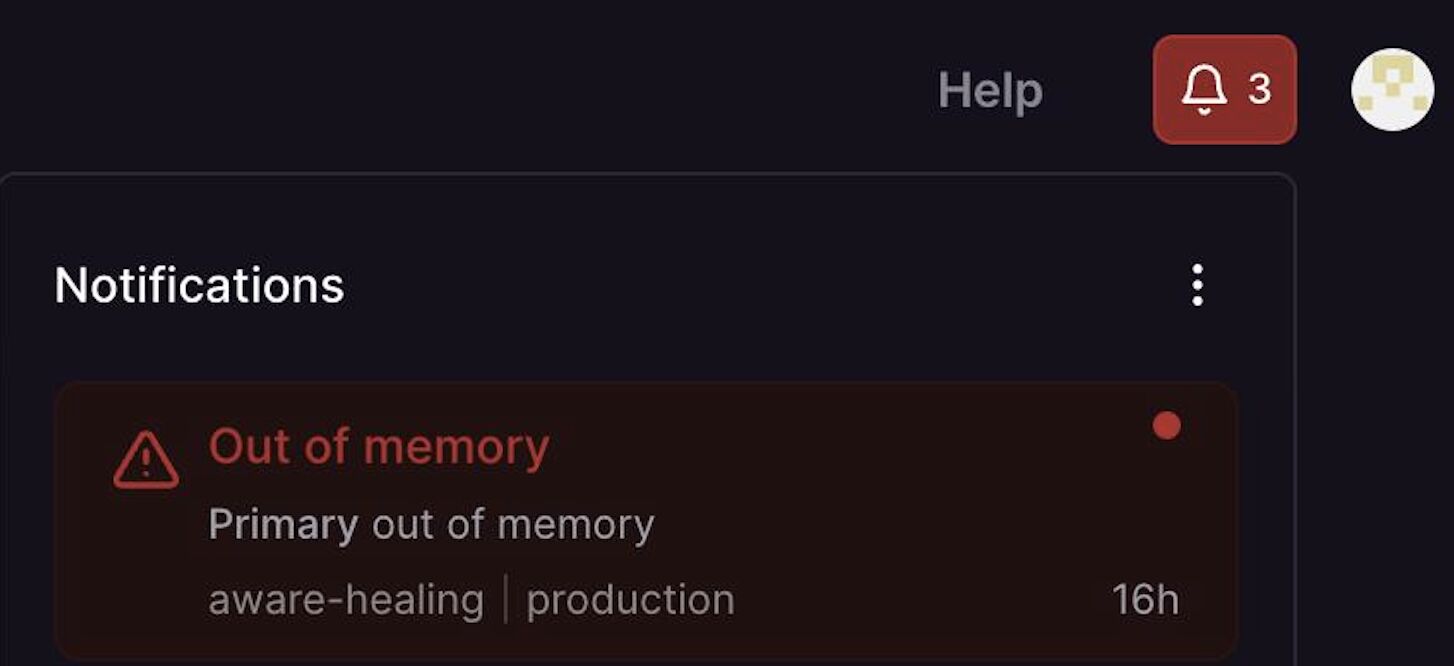
I stared at it for a few seconds. Still half-asleep, brain not fully loading. Then it hit me — that's the production environment. That's the AI phone bot handling calls for 5 US service locations. If it's down, calls are going unanswered right now.
I grabbed my laptop.
First Thought: Something's Wrong With the Prompt
My first instinct wasn't the database. It was the AI.
We'd been working on the phone bot prompt recently — tuning how it handles bookings, edge cases, objections. My brain went straight there: did something in the prompt break the bot? Did RetailAI push an update that changed behavior?
I logged into RetailAI, started reading through the prompt configuration. Everything looked fine. Bot logic intact. No obvious changes.
Then I checked the actual error logs. And there it was — nothing AI-related at all.
PostgreSQL. Disk full. 5.00 GB. Hard limit hit.
Down the Rabbit Hole
I opened Railway — the platform where we host the database. The volume metrics were brutal. Clean upward curve all night, then a sharp spike right at the top. 5GB. Done.
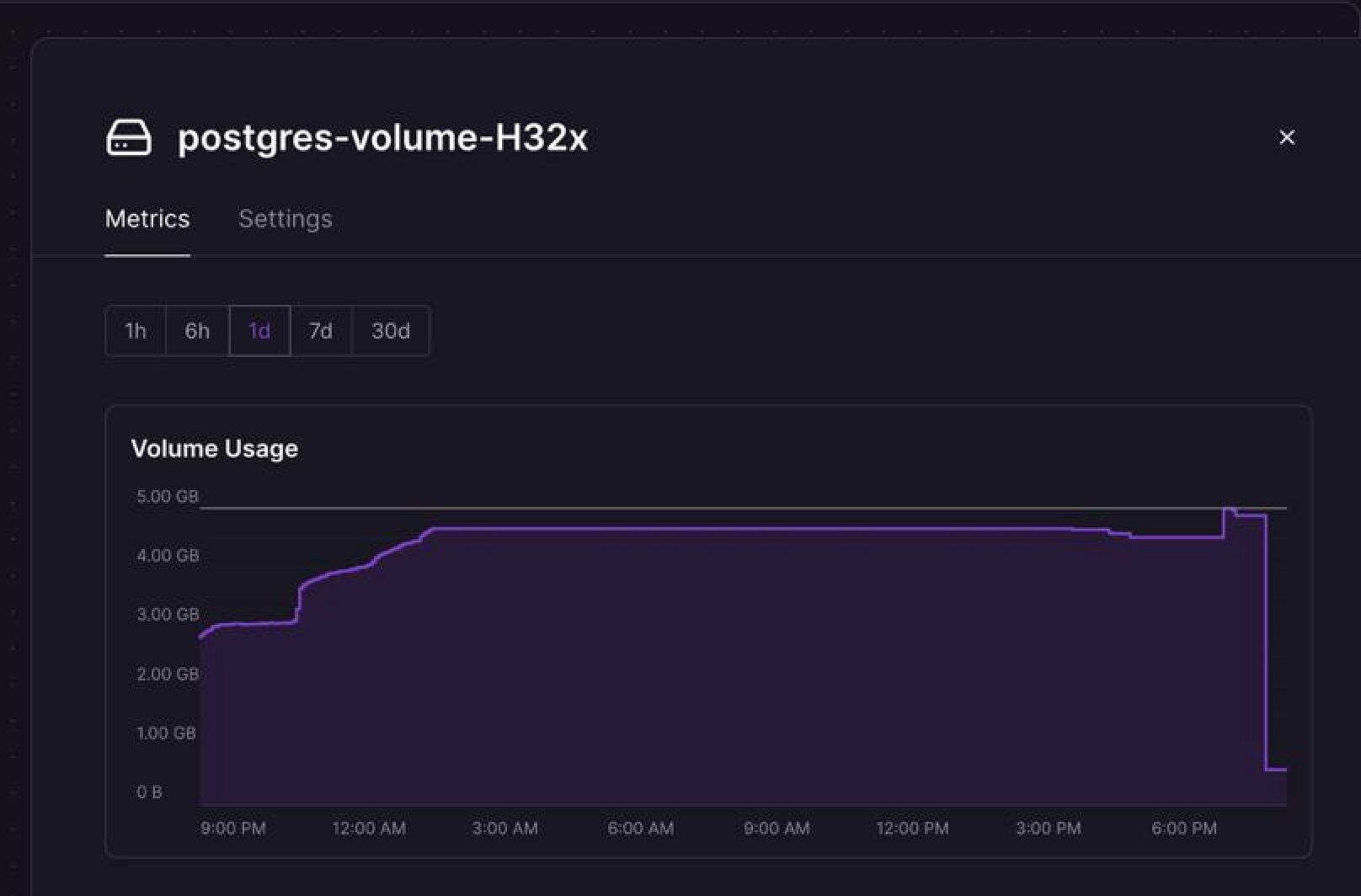
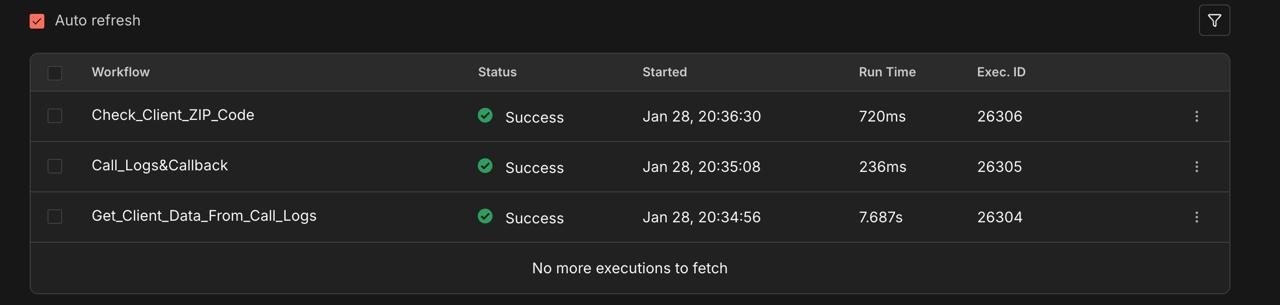
No more writes. No more reads. The entire n8n workflow engine — which powers everything from call routing to client data lookups to callback scheduling — just stopped.
Now I had to figure out why the database was full, and how to fix it without breaking anything else.
Here's where I made the right call: I stopped guessing and asked Claude for help.
I pasted the error, described the setup (n8n + PostgreSQL on Railway), and asked what could fill a 5GB database this fast. The answer came back immediately: execution logs.
n8n by default stores every single workflow execution — every webhook call, every automation run, every retry. Every. Single. One. Forever. With no cleanup.
We had months of logs.
Reading the Docs at 3 AM (Not Fun)
I'd never had to dig into PostgreSQL internals before. I knew enough to set it up, connect it, and leave it alone. Now I needed to actually understand what was inside.
I pulled up the PostgreSQL documentation. Dense. Not exactly bedtime reading. I was scanning for anything about table sizes, storage, execution data — trying to understand what I was dealing with before touching anything.
The smarter move: I copied the relevant sections of the docs and fed them to Claude along with my specific situation. Instead of reading 40 pages of technical reference, I got exactly what I needed in 2 minutes:
- The
executions_entitytable stores all n8n execution history - It grows fast — every workflow run adds rows
TRUNCATE TABLE executions_entity CASCADEwould clear it safely- After that, set up retention policies so it never fills up again
The Fix
Connected to the PostgreSQL instance via Railway's terminal.
TRUNCATE TABLE executions_entity CASCADE;
Watched the disk usage drop from 5.00 GB to 0.2 GB in about 30 seconds.
Restarted the n8n workflows. Checked all 5 locations. Bot back online. Calls routing correctly.
Total downtime: about 20 minutes.
It felt longer.
What should you set up before automating anything?
1. Set execution retention in n8n
In your n8n settings, there's an option to automatically delete execution logs older than X days. I had this set to "keep everything." It should have been 7–14 days from day one.
2. Monitor disk space
Railway and most hosting platforms let you set alerts when storage hits a threshold. 70%, 85%, 90%. I had none of these set up. A simple alert at 80% would have given me days to fix it calmly, during business hours, not at 3 AM.
3. Know your production stack
I knew n8n. I knew the automation logic. But I didn't really know the database underneath it. That gap hurt me when something went wrong. You don't need to become a DBA — but you should understand what's storing your data and where.
How do you handle a technical crisis at 3 AM?
This is the part I want to dwell on, because the technical fix was 5 minutes. The stressful part was the 15 minutes before that.
Stop, breathe, locate the actual error.
My first instinct was wrong — I went to the AI prompt, not the database. If I'd panicked and started randomly changing things, I could have made it worse. The most valuable thing you can do in the first 60 seconds is find the actual error message and read it carefully.
Don't diagnose alone.
There's a weird machismo in tech around figuring things out yourself. Forget it. At 3 AM with production down, I immediately asked Claude. No ego. It gave me the answer in under a minute. Use every tool available to you.
Work from the outside in.
Is the server up? → Is the database connected? → Is the application throwing errors? → Is the data correct? Don't jump to complex explanations when simple ones haven't been ruled out.
Document as you go.
Even in a panic, I kept a rough log of what I checked and what I did. This matters if you need to explain it to someone later, or if the same issue comes back.
After it's fixed — do the post-mortem.
Not to blame yourself. To make sure it can't happen again. In my case: retention policies set, disk alerts configured, documentation written. Done.
The 3 AM panic taught me more about how n8n and PostgreSQL actually work than months of normal usage. I understand the system better now because I had to understand it to fix it.
Still. Set up your log retention before you need to.
Running n8n in production? Check your executions_entity table size right now. Seriously. And if you want an automation setup that's built to avoid exactly this kind of failure — that's what I do — let's talk.
Related:
- I Analyzed 100 Service Business Calls With AI. What I Found Was Uncomfortable.
- How to Dispute LSA Credits at Scale: $13K Recovered
- The SEO Strategy That Actually Worked: 14,050% Impressions Without Backlinks
- From 64 to 1,174 Pages: How I Built a Local SEO System That Drives 4-5 Organic Leads Per Day